Planzu
A premium, private planner for Mac and iOS.
No subscriptions. No tracking. No cloud accounts. Just a native, local-first architecture to hold your commitments securely in your own iCloud.
iPhone, iPad, and Mac • $7.99 one-time purchase

A premium, private planner for Mac and iOS.
No subscriptions. No tracking. No cloud accounts. Just a native, local-first architecture to hold your commitments securely in your own iCloud.
iPhone, iPad, and Mac • $7.99 one-time purchase
Planzu mirrors how your brain handles commitments naturally—minus the background anxiety.
Your inbox accepts tasks, deadlines, and household needs instantly. No required fields, tags, or dropdown entries. Get it out of your head and onto the page before you lose track of it.
When you have a quiet moment, define the work. Assign a spatial context (@desk, @errands, @home) so you only look at choices you can actively execute right now. Clarifying turns chaotic thoughts into clear next actions.
Step back from the noise once a week. Planzu clears the board, walking you through active commitments and future goals. A quiet collection of structured reflections offers intellectual companionship while you plan the days ahead.

Work organized by context, not urgency. @desk items for desk time. @errands for when you’re out. @phone for when you’re making calls.
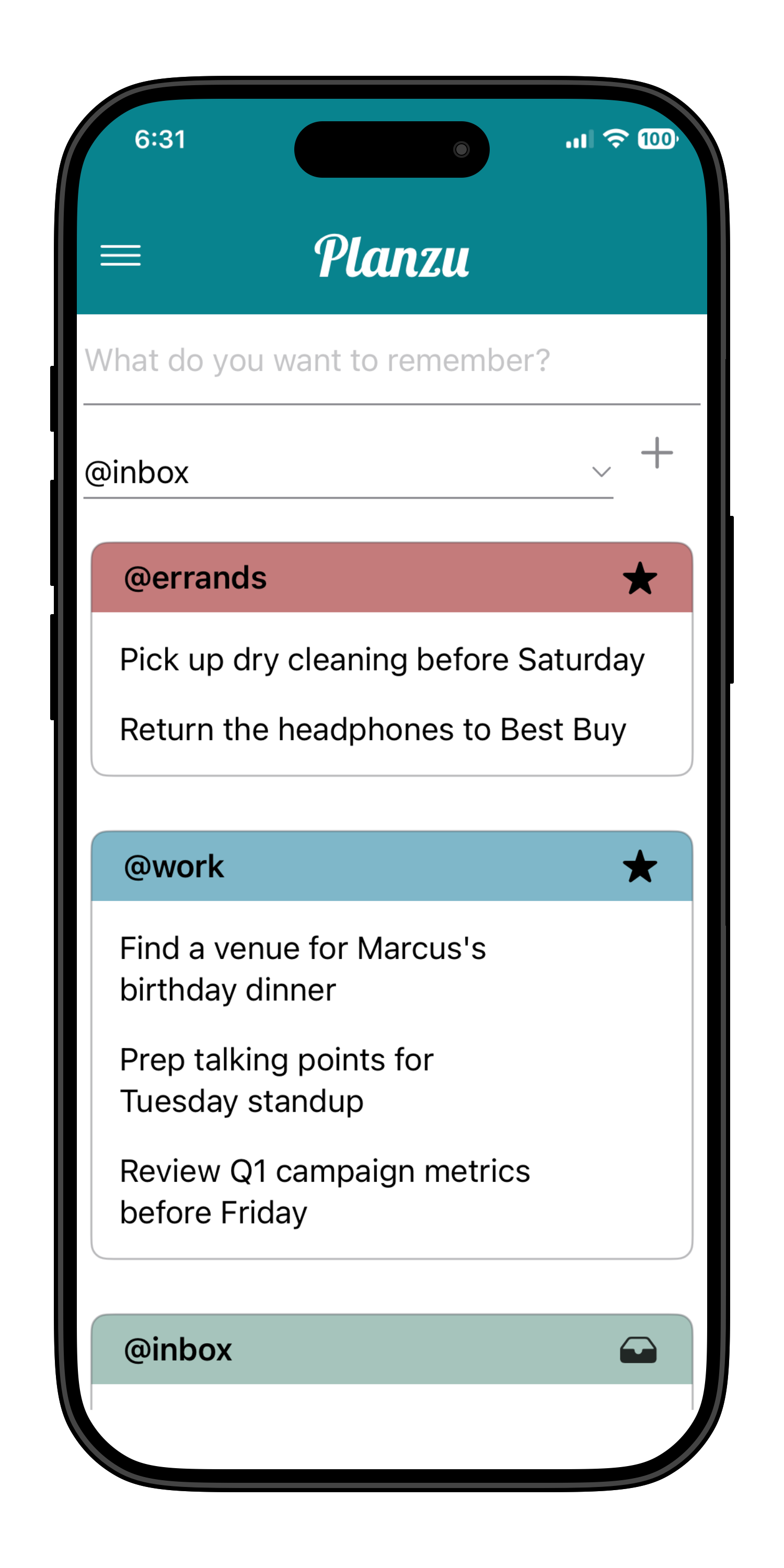
Separate your commitments by where they actually happen. Use @desk for focused professional tasks, @home for household needs, and @errands for when you are out. Contexts filter your view down to what is physically possible in the moment, preventing you from staring at deadlines you cannot act on right now.

Some daily tasks belong to something bigger. Goals allow you to group individual actions by what they build toward over time—whether that is managing an upcoming corporate launch or organizing a family commitment with Sam. This provides structural clarity without the overhead of an aggressive project management suite.
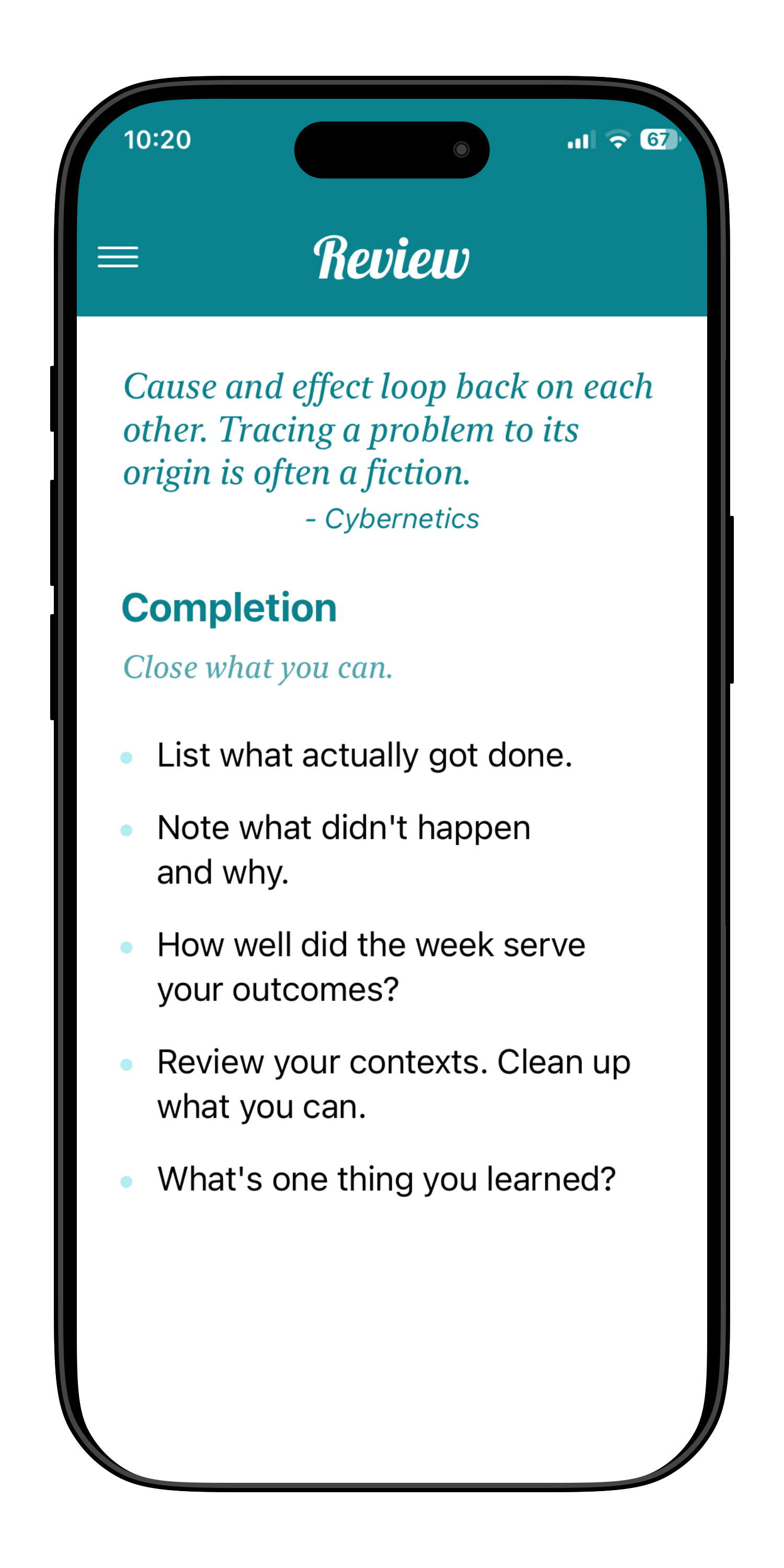
Step away from active execution once a week to look at the complete architecture of your calendar. The Review screen walks you through your inbox, active commitments, and deferred items to confirm what still matters. A quiet collection of structured reflections surfaces during this process, offering an intentional pause to think before the next week begins.
When capture is frictionless, clarify is thoughtful, and review offers perspective:
Whether it is a critical project deadline from your director, a casual mention from a colleague, or a household promise made to your partner, everything lands safely in a trusted inbox. Nothing slips through the cracks.
When you fully trust your architecture to hold details, you can stop running a perpetual background process of "things I must not forget." That underlying cognitive fatigue completely disappears.
Separating capture from processing means you never triage tasks while scrambling. You clarify your inbox when you have the quiet space to think, resulting in vastly better execution choices.
Spatial contexts align your focus with your physical reality. When you are at your desk, you only see professional execution paths. When you are out, you see errands. You switch from reactive firefighting to intentional focus.
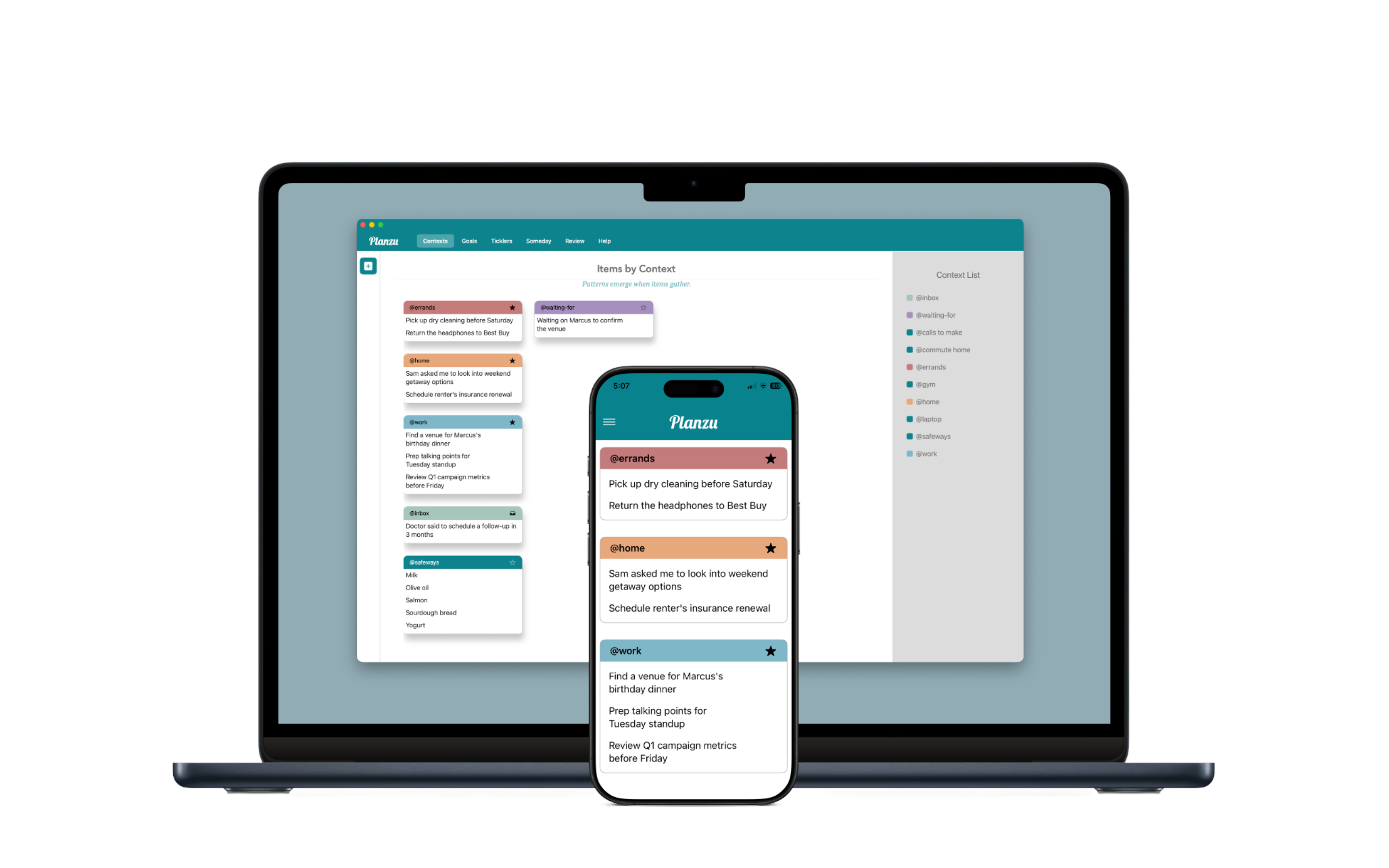
Planzu is a universal app. Buy it once and it's yours on every Apple device you own. No separate Mac version, no "desktop upgrade," no per-platform fees.
Planzu mirrors how your brain handles commitments naturally—minus the background anxiety.
Your inbox accepts tasks, deadlines, and household needs instantly. No required fields, tags, or dropdown entries. Get it out of your head and onto the page before you lose track of it.
When you have a quiet moment, define the work. Assign a spatial context (@desk, @errands, @home) so you only look at choices you can actively execute right now. Clarifying turns chaotic thoughts into clear next actions.
Step back from the noise once a week. Planzu clears the board, walking you through active commitments and future goals. A quiet collection of structured reflections offers intellectual companionship while you plan the days ahead.
Planzu works best for people who:
Your partner asked you to handle something. Your boss mentioned something in passing. You told yourself you'd follow up. Planzu is the place to put it so "I've got it" actually means something.
Work, home, errands, side projects, family. You're not one person doing one thing. You're several people doing several things. A system that sorts by context helps you show up as the right person at the right time.
You don't need a methodology lecture. You don't want to be gamified or coached. You just need a reliable place to put things so your brain can stop holding on so tight.
iOS 17+, macOS 14+ • $7.99 one-time universal purchase • No subscriptions
Available natively for iPhone, iPad, and Mac.